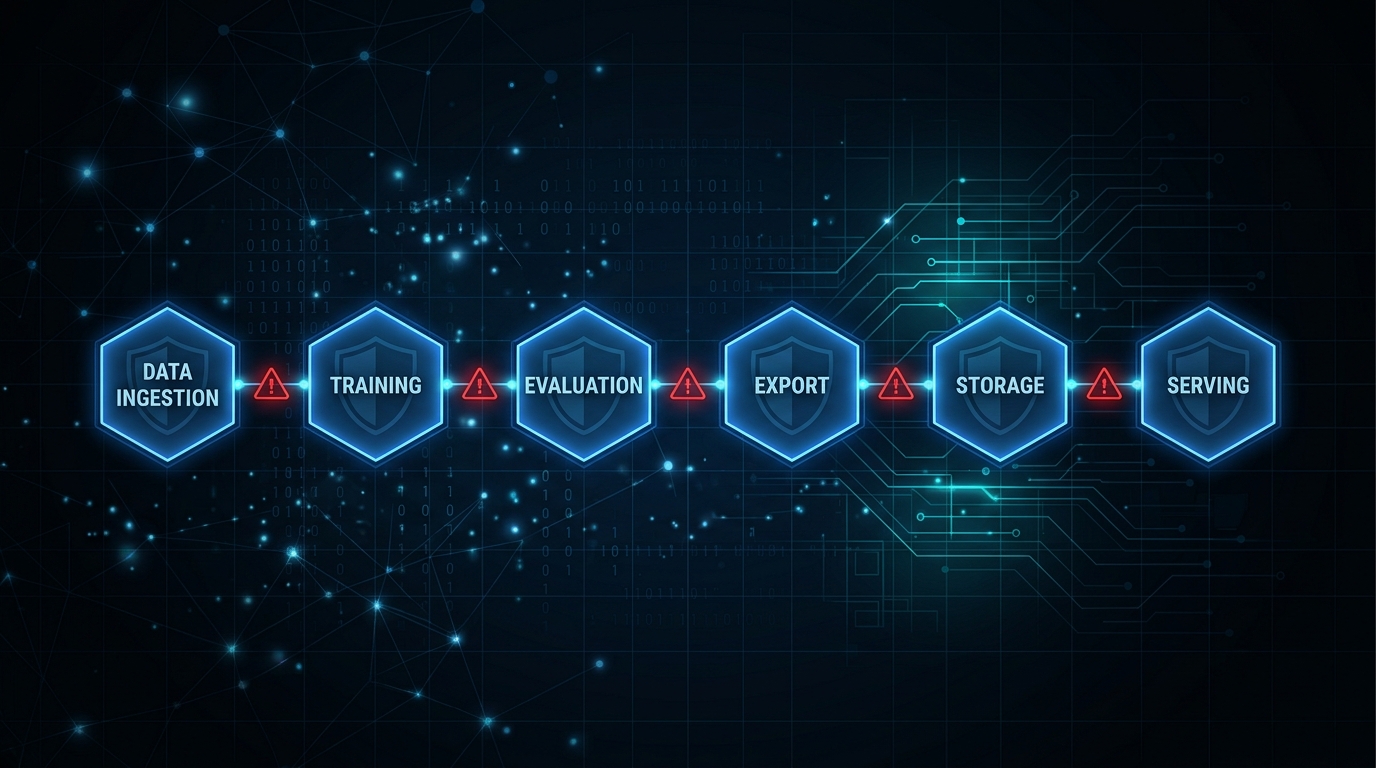
Figure 1: The six ML pipeline stages covered by mlsec, each with distinct attack surfaces
Table of Contents
The MLSecOps Gap Is Real
We spent a decade building DevSecOps. SAST. DAST. SBOMs. Container scanning. Secrets detection. CI gates. Security became part of the pipeline.
Then we built ML systems. And dropped all of it.
Today, teams are training models on unverified data, exporting to ONNX or TensorRT without integrity checks, loading third-party checkpoints with pickle deserialization, and deploying inference servers with no rate limiting, no authentication, and calling it a production release.
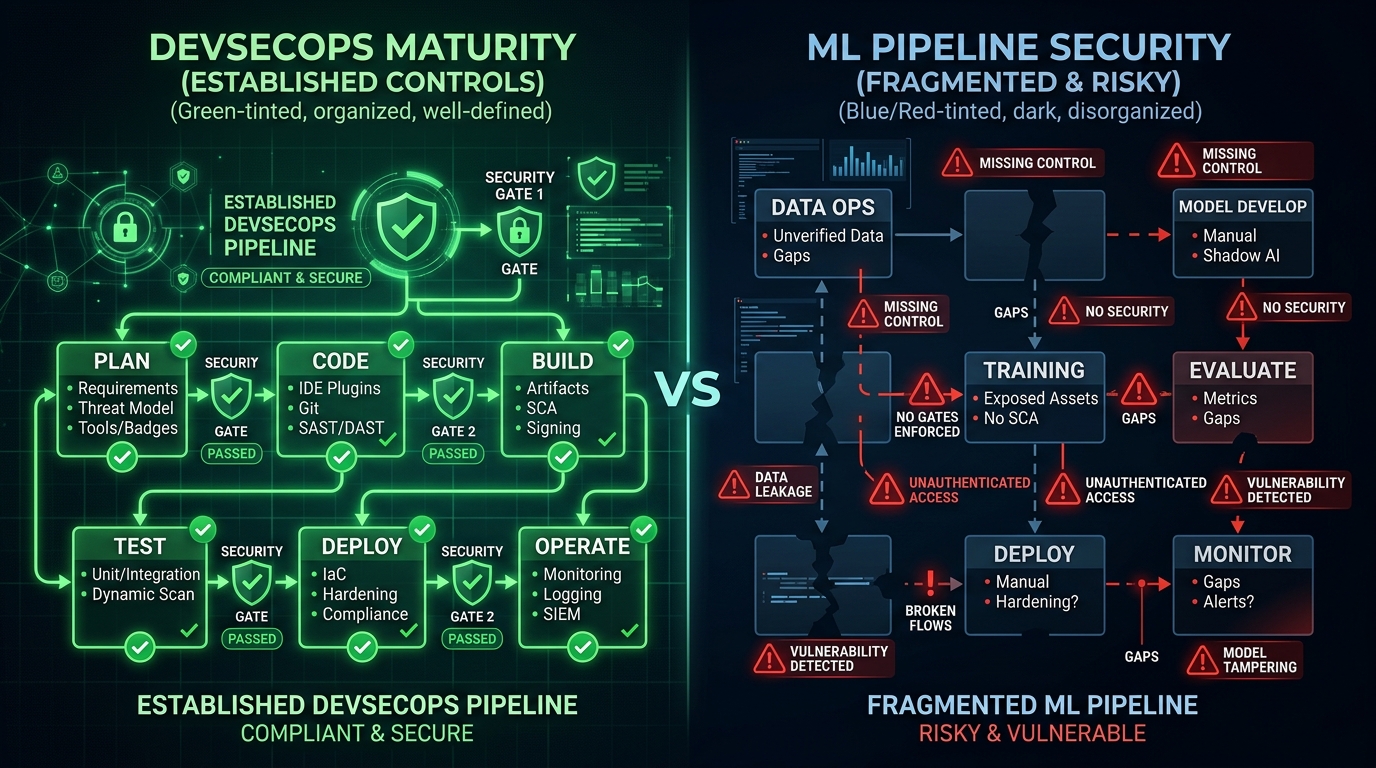
Figure 2: The MLSecOps gap: mature DevSecOps controls versus missing ML pipeline security
DevSecOps established a simple principle: security controls belong at every stage of the pipeline: automated, measurable, enforced as gates. ML pipelines have an equivalent set of stages. Data ingestion. Training. Evaluation. Export. Artifact storage. Serving. Each stage has a distinct attack surface.
The tooling ecosystem never caught up.
IBM's Adversarial Robustness Toolbox covers adversarial attacks well. Microsoft Counterfit provides red-teaming scaffolding. CleverHans has research-grade attack implementations. All valuable. None of them cover what happens after you run the attack. None monitor gradient behavior during distributed training. None validate ONNX export integrity. None audit Triton Inference Server configurations. None triage checkpoints for NaN injection or KL-divergence drift before you load them.
The tools we have cover one attack surface. The pipeline has six. mlsec was built to explore these gaps, to understand them concretely, not theoretically.
What We Found While Writing the Tests
We didn't set out to write a bug report. We set out to build well-tested security tooling. The bugs were side effects of actually doing that work carefully. Each one reveals something about the underlying difficulty of this problem.

Figure 3: Three critical bugs discovered through systematic adversarial testing
Bug 1: The PGD Gradient Crash
Projected Gradient Descent is a standard multi-step adversarial attack. Perturb input. Compute loss. Backpropagate. Project back to the epsilon ball. Repeat.
The crash happened in the projection step.
After projecting the adversarial example back into valid perturbation space, the code reassigned the adv tensor. On the next loop iteration, it called adv.grad.zero_(), but adv was now a new tensor, without a gradient. The attribute was None. Hard crash.
# The bug: tensor reassignment breaks gradient tracking
for step in range(num_steps):
    loss = criterion(model(adv), target)
    loss.backward()

    with torch.no_grad():
        adv = adv + alpha * adv.grad.sign()
        # After projection, adv is a NEW tensor
        adv = torch.clamp(adv, x - epsilon, x + epsilon)

    # Next iteration: adv.grad is None — CRASH
    adv.grad.zero_()  # AttributeError: 'NoneType'
Impact: Not an exotic edge case. This triggers when you run PGD with random restarts on certain model architectures. The attack silently fails or crashes, which means your robustness baseline is measuring nothing. If your robustness testing infrastructure has a latent crash in it, you've been generating false confidence about your model's security posture.
The fix is one line. The implication is not.
Bug 2: NaN Masking in Weight Inspection
Weight anomaly detection works by flagging tensors with unusually large magnitudes, a standard signal for poisoned or corrupted models. The detection logic used tensor.abs().max() to find the largest value in each weight tensor.
When a tensor contains NaN, tensor.abs().max() returns NaN. Not a large number. NaN.
NaN doesn't compare greater than any threshold. The comparison silently evaluates to False. The anomaly check passes. The poisoned tensor goes unflagged.
# The bug: NaN defeats the detector
def check_anomaly(tensor, threshold=100.0):
    max_val = tensor.abs().max()  # Returns NaN if tensor has NaN
    return max_val > threshold     # NaN > 100.0 → False (!)

# The fix: filter non-finite values first
def check_anomaly(tensor, threshold=100.0):
    finite_mask = torch.isfinite(tensor)
    if not finite_mask.all():
        return True  # Non-finite values are always anomalous
    max_val = tensor.abs().max()
    return max_val > threshold
Impact: The exact condition you're trying to detect (a corrupted weight tensor) is the condition that causes the detector to stop working. NaN injection doesn't just corrupt the model. It disables the inspection tool.
Bug 3: Dead Code in Checkpoint Extraction
When loading a PyTorch checkpoint, the standard pattern is to check whether the loaded object is a full checkpoint dict (with a "state_dict" key) or a raw state dict. The original code checked for generic dict first, then checked for the "state_dict" key.
# The bug: unreachable branch
def extract_state_dict(checkpoint):
    if isinstance(checkpoint, dict):       # Always matches first
        return checkpoint
    elif "state_dict" in checkpoint:       # Never reached!
        return checkpoint["state_dict"]

# The fix: check specific key first
def extract_state_dict(checkpoint):
    if isinstance(checkpoint, dict) and "state_dict" in checkpoint:
        return checkpoint["state_dict"]    # Full checkpoint → extract
    elif isinstance(checkpoint, dict):
        return checkpoint                  # Raw state dict → use as-is
Impact: A full checkpoint is a dict. The generic check matched first. The "state_dict" branch was unreachable. The tool loaded the entire checkpoint object as if it were a state dict, not extracting the actual model weights. Every downstream operation was operating on the wrong data structure. This kind of bug is invisible without a test that verifies extracted content against a known-good reference. It doesn't crash. It doesn't warn. It silently produces wrong results.
Why These Bugs Matter Beyond the Code
Each of these three bugs shares a common structure. They don't announce themselves. They produce output that looks reasonable. They fail specifically in the adversarial conditions they're supposed to handle, which means they fail precisely when the stakes are highest.
This is not a story about careless engineering. It is a story about what happens when you build security tooling without systematically testing it against adversarial inputs. DevSecOps matured through exactly this kind of hard-won operational experience. MLSecOps is earlier in that curve.
The Six Tools
mlsec addresses the six pipeline stages that existing tools treat as out of scope.
1. Adversarial Robustness Testing
Runs FGSM, PGD, and Carlini-Wagner attacks against your model and tracks results against a baseline. The point is not to run attacks once; it is to catch regressions when you retrain, fine-tune, or change architecture.
# Run adversarial regression test
mlsec adversarial --model checkpoint.pt \
  --attack fgsm --epsilon 0.03 \
  --baseline baseline.json

# Exit code 2 when regression detected → wire to CI gate- Three attack types: FGSM (single-step), PGD (multi-step with restarts), Carlini-Wagner (optimization-based)
- Mixed precision support: float32, float16, bfloat16
- Baseline tracking: JSON baselines indexed by model, attack type, and epsilon
- Regression detection: 5% threshold with drift alerts
2. Model Inspection
Runs weight anomaly detection and activation monitoring hooks against any PyTorch model. Useful for rapid triage of third-party models before integration.
# Inspect a model for weight anomalies
mlsec inspect --model path/to/model \
--type vision --checks weights activations fgsm- Weight anomaly detection: Flags tensors with unusually large magnitudes or NaN/Inf values
- Activation monitoring: Hooks track variance for extreme activation values
- FGSM testing: Quick adversarial robustness check for vision models
- Model support: HuggingFace text (causal LM) and vision (image classification)
3. Distributed Poisoning Detection
Monitors gradient behavior across workers during DDP training. Uses CUSUM change-point detection to catch slow-burn poisoning, the kind that doesn't spike a single gradient but gradually shifts the training trajectory. This is the attack surface no other tool covers.
# Monitor gradient logs for poisoning
mlsec poison-monitor monitor --log-dir ./gradient_logs/

# Real-time monitoring via UDP broadcast
mlsec poison-monitor listen --port 9999

# Generate synthetic demo data
mlsec poison-monitor simulate --workers 4 --steps 100- GradientSnapshotter: Embeds in training loops, captures per-step gradient statistics
- CUSUM detection: Statistical change-point detection for gradual drift
- Metrics tracked: Global L2/L-infinity norms, mean, standard deviation, parameter count
- Three modes: Offline log analysis, real-time UDP listening, and simulation
4. ONNX/TensorRT Export Validation
Lints the ONNX graph for suspicious constructs and creates a SHA-256 provenance hash chain at every export stage. If the artifact was tampered with between export and deployment, you'll know.
# Validate export with provenance tracking
mlsec export-guard --model model.pt \
  --format onnx --output model.onnx \
--attestation provenance.json- ONNX linting: Detects custom operators, large embedded constants, control-flow ops, and embedded subgraphs
- SHA-256 hash chain: Provenance tracking at every export stage
- ONNX Runtime validation: Numerical drift comparison with configurable tolerances
- TensorRT integration: Optional trtexec invocation for engine building
5. Checkpoint Security Triage
Catches NaN/Inf injection, flags weight magnitude anomalies, computes KL-divergence fingerprints for drift detection, and converts pickle-based checkpoints to safetensors format.
# Triage checkpoints in a directory
mlsec checkpoint /path/to/checkpoints/ --json

# Compare fingerprints against a reference
mlsec checkpoint model.pt --reference baseline_fingerprint.json- NaN/Inf detection: Now with proper finite-value filtering (Bug 2 fix)
- Weight magnitude anomalies: Configurable threshold detection
- KL-divergence fingerprinting: Histogram-based with 64 bins per tensor for drift detection
- Safetensors conversion: Converts pickle-based checkpoints to pickle-free format
- Weights-only loading: Uses
torch.load(weights_only=True)when available
6. Triton Inference Server Auditing
Parses config.pbtxt files and flags missing rate limits, absent authentication, unconstrained input bounds, and other deployment hygiene failures. Runs in seconds. Requires no inference server access.
# Audit all Triton configs
mlsec triton models/**/config.pbtxt --summary

# Detailed findings
mlsec triton config.pbtxt --verbose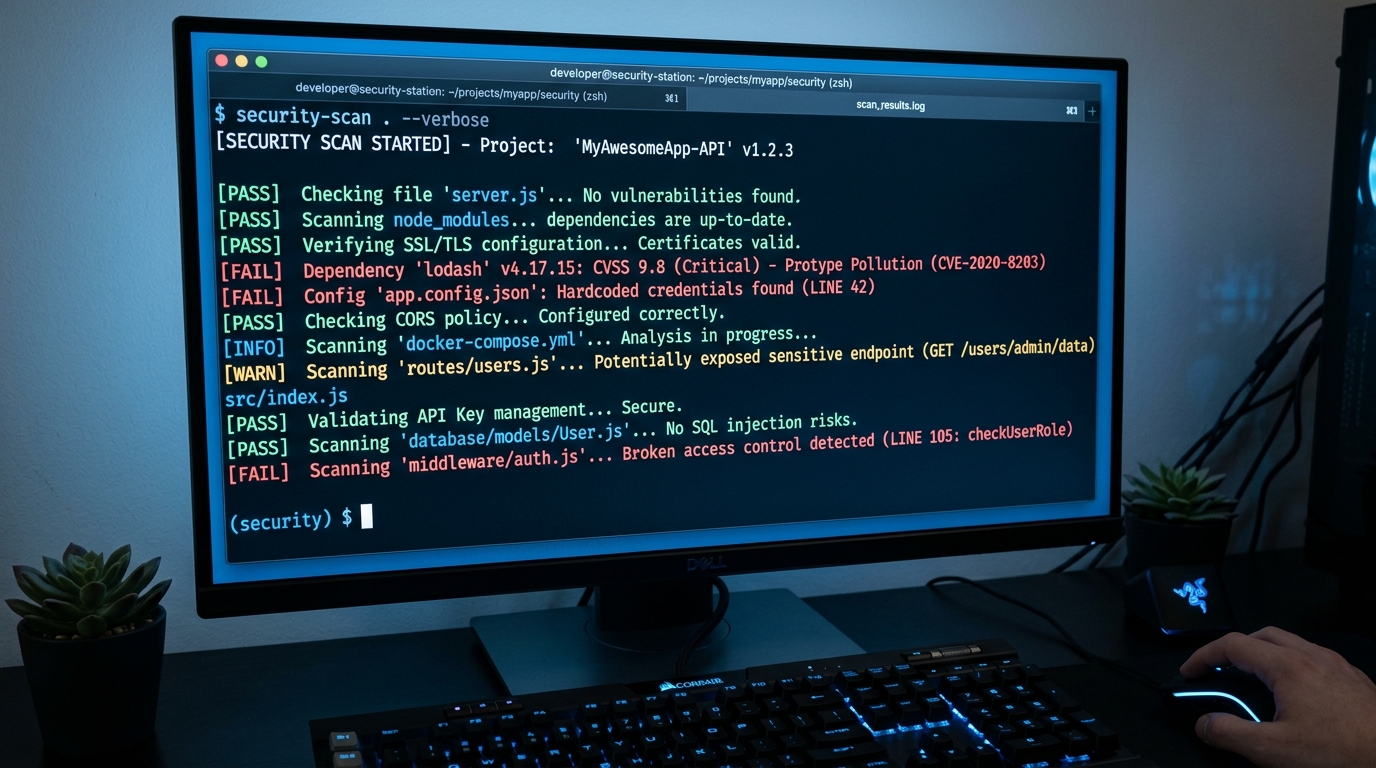
Figure 4: mlsec CLI in action: structured output with severity levels
- Security checks: max_batch_size limits, instance_group config, dynamic batching queue delays (slowloris mitigation), rate limiting, input dimension constraints, authentication
- Severity levels: INFO, WARN, ERROR with actionable messages
- Lightweight parser: No protobuf dependency, heuristic-based
- Summary mode: Quick issue counts per file
CI/CD Integration
Every tool produces structured exit codes designed for CI integration:
| Exit Code | Meaning | CI Action |
|---|---|---|
| 0 | Clean, no issues found | Continue pipeline |
| 1 | Error, tool failed to run | Investigate and retry |
| 2 | Alert, security issue detected | Block deployment, notify security |
# Example CI pipeline integration
mlsec checkpoint ./model_artifacts/ --json
if [ $? -eq 2 ]; then
  echo "Security alert: checkpoint triage failed"
  exit 1
fi

mlsec triton ./triton_models/**/config.pbtxt --summary
if [ $? -eq 2 ]; then
  echo "Security alert: Triton config issues found"
  exit 1
fi

mlsec adversarial --model model.pt --baseline baseline.json
if [ $? -eq 2 ]; then
  echo "Security alert: adversarial regression detected"
  exit 1
fi
Key Detection Capabilities:
- Adversarial: FGSM, PGD, Carlini-Wagner robustness regressions
- Training: Gradient poisoning via CUSUM change-point detection
- Supply Chain: ONNX graph lint + SHA-256 provenance hash chains
- Checkpoint: NaN/Inf injection, weight anomalies, KL-divergence drift
- Deployment: Missing rate limits, auth gaps, unconstrained inputs in Triton
- Inspection: Weight anomalies, activation extremes, quick adversarial checks
The Broader Point
We didn't build DevSecOps because engineers were careless. We built it because the attack surface grew faster than manual review could track, and the only sustainable answer was automation at pipeline time.
ML systems are at the same inflection point. The attack surface is real: adversarial inputs, training-time poisoning, checkpoint injection, supply chain tampering, inference server exploitation. The stakes are higher as ML takes on more consequential decisions.
MLSecOps (security controls embedded in the ML pipeline, not bolted on after deployment) is not a future state. It is an immediate operational need.
The three bugs we found while writing tests aren't exotic. They're the kind of bugs that exist in every security tool that hasn't been tested against adversarial inputs. That combination (silent, plausible-looking, wrong) is the most dangerous kind of failure a security tool can have.
Get Started
# Install from PyPI
pip install mlsec

# Or install from source with all extras
git clone https://github.com/scthornton/ml-security-tools.git
cd ml-security-tools
pip install -e ".[all]"

# Quick commands
mlsec checkpoint /path/to/your/checkpoints/ --json
mlsec triton models/**/config.pbtxt --summary
mlsec adversarial --model model.pt --attack fgsm --epsilon 0.03
Project Details
- Repository: github.com/scthornton/ml-security-tools
- License: MIT
- Python: 3.10+
- Version: 2.0.0
- Tests: 289 test cases, 79% coverage
- Core dependency: PyTorch 2.0+
If you're deploying ML in production and not checking these things, you're accepting risk you don't fully understand.
Try it. Break it. Tell us where it fails.