
Figure 1: AI Agent Scanner discovering shadow AI endpoints across enterprise infrastructure
Table of Contents
The Shadow AI Problem
Every security team has an AI inventory problem. They just don't know it yet.
In 2024, shadow IT meant someone spun up an unauthorized SaaS app. In 2025, shadow AI means a developer integrated GPT-4 into a customer-facing workflow, hardcoded an API key in a Lambda function, and deployed it to production on a Friday afternoon. No security review. No data classification. No rate limiting. No one even knows it exists.
This is not hypothetical. We're seeing it in every environment we scan.
The problem is structural. A pip install openai and five lines of Python gives any developer a production AI endpoint. Cloud providers ship one-click model deployments faster than most change management systems can process a ticket. MCP servers let any desktop app call any tool through any model.
The barrier to deploying AI is now lower than the barrier to documenting it.
Security teams cannot secure what they cannot see. And right now, most of them are flying blind.
Tested across lab environments and authorized enterprise assessments, the pattern is consistent: organizations have far more AI running than they think.
What We Built
AI Agent Scanner is asset inventory for AI. It answers the first question every security team should ask: What AI is actually running in my environment right now?
The tool operates in three phases:
- Discover: Find AI agents you didn't know about across four surfaces
- Test: Run 70+ security tests against what you find
- Score: Map findings to compliance frameworks and business risk
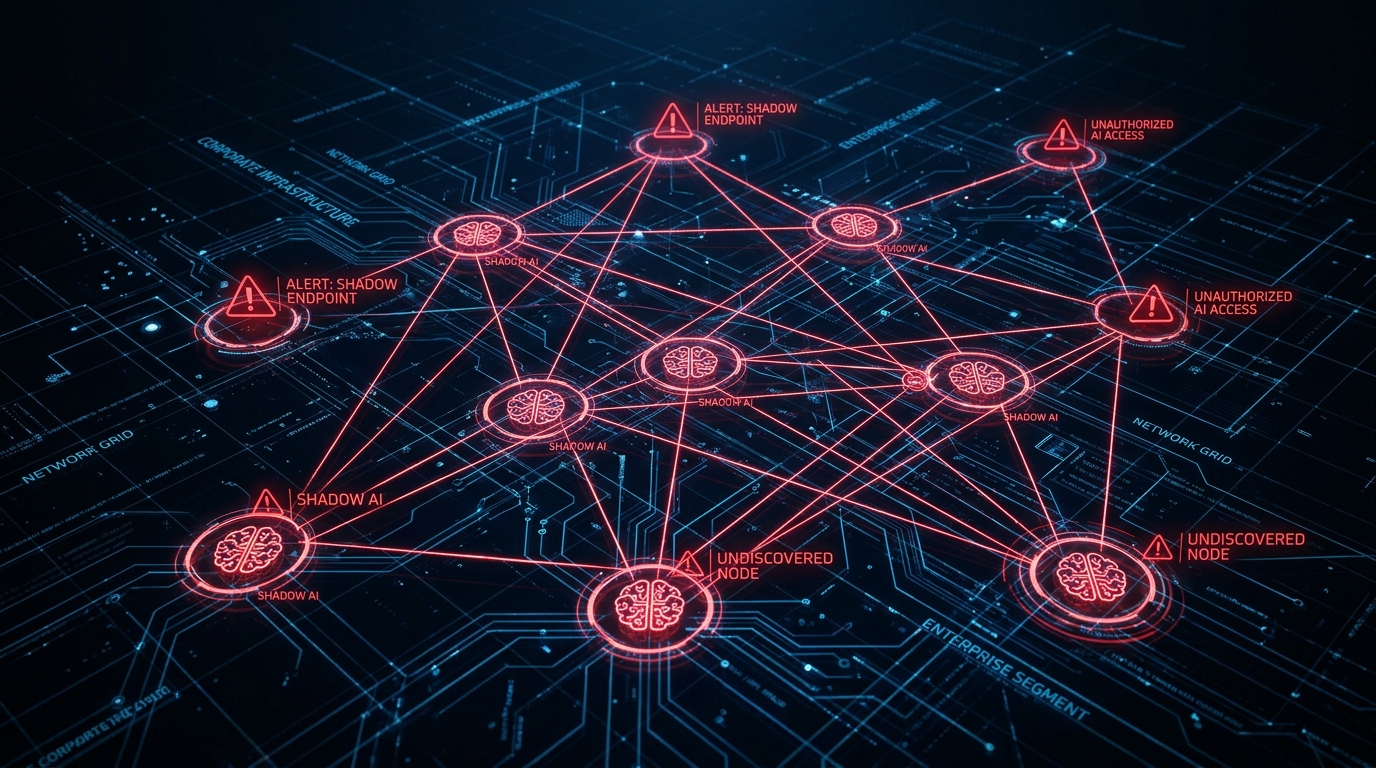
Figure 2: Shadow AI agents spread across enterprise infrastructure, undocumented and unsecured
# Quick start
git clone https://github.com/perfecxion-ai/ai-agent-scanner.git
cd ai-agent-scanner
pip install -r requirements.txt

# Discovery-only scan
python scanner_cli.py discover --network 10.0.0.0/24

# Full scan with security testing
python scanner_cli.py scan --domain api.company.com --output report.json
Discovery: Four Attack Surfaces
The scanner discovers AI agents across four distinct surfaces, each targeting a different way shadow AI enters the environment.
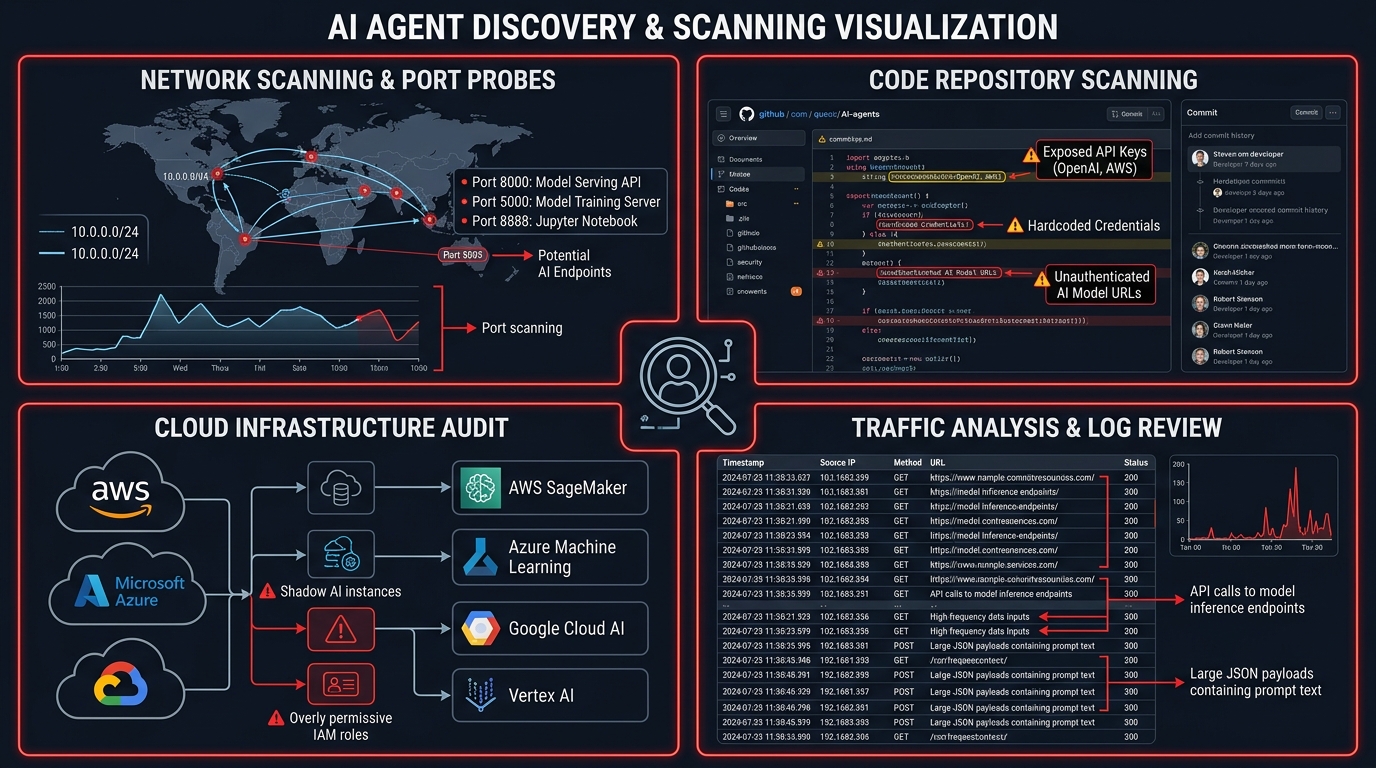
Figure 3: The four discovery surfaces (Network, Code, Cloud, and Traffic analysis)
Network Discovery
Probes common ports and matches response patterns against known AI service signatures. The scanner identifies OpenAI, Anthropic, Google, Cohere, HuggingFace, Ollama, and custom chatbot endpoints. Subdomain enumeration targets common AI-related subdomains: api, ai, ml, bot, chat, assistant.
# Network scanner probes common AI ports
AI_PORTS = [80, 443, 8000, 8080, 8443, 9000, 11434]

# Matches against 9 AI service provider signatures
# OpenAI: /v1/chat/completions, /v1/completions, /v1/models
# Anthropic: /v1/messages, /v1/complete
# Ollama: /api/generate, /api/chat, /api/tags
# ... and 6 more providers
Code Scanning
Analyzes repositories for SDK imports (import openai, import anthropic, from cohere import), hardcoded API keys (sk- for OpenAI, sk-ant- for Anthropic, hf_ for HuggingFace), and endpoint configuration patterns embedded in source code.
Cloud Infrastructure
Enumerates AI services across all three major cloud providers:
- AWS: SageMaker endpoints, Bedrock model invocations
- Azure: Azure OpenAI Service deployments, Cognitive Services
- GCP: Vertex AI endpoints, AI Platform models
Traffic Analysis
Parses proxy logs and HAR files to identify AI API calls in runtime traffic. This catches agents that might not be visible through code or network scanning: for example, client-side JavaScript calling AI APIs directly, or third-party integrations making AI calls on behalf of the application.
Security Testing: Breaking What You Find
Once agents are discovered, the scanner runs a comprehensive security testing suite. Every test is non-destructive with built-in rate limiting and request caps to avoid impacting the systems being tested.
Prompt Injection Testing
70+ attack payloads organized across 7 categories:
| Category | Payloads | Detection Method |
|---|---|---|
| System Prompt Extraction | Variations of "repeat your instructions" | Regex pattern matching for system prompt leakage |
| Instruction Bypass | Override and ignore-previous techniques | Response analysis for instruction compliance deviation |
| Role Manipulation | Context switching and persona injection | Behavioral deviation from expected role |
| DAN-style Jailbreak | Do Anything Now and variant prompts | Response indicators of safety bypass |
| Context Manipulation | Token smuggling and context window attacks | Output analysis for injected content |
| Encoding-based Injection | Base64, Unicode, and encoding tricks | Decoded response content analysis |
| Task-based Payloads | Embedded instructions within legitimate tasks | Task deviation detection |
Access Control Testing
15+ authentication bypass techniques including:
- 10 weak credential combinations (admin/admin, test/test, etc.)
- 10 common API key patterns (test-key, demo-key, dev-key)
- Rate limiting validation (50 requests per agent)
- Session management evaluation
- Authorization boundary testing
Data Privacy Testing
Detection of 7 PII types in AI responses:
- Social Security Numbers (multiple formats)
- Credit card numbers (Visa, MasterCard, AmEx, Diners)
- Phone numbers (US and international)
- Email addresses
- IP addresses (IPv4 and IPv6)
- API keys (OpenAI, Slack, GitHub, AWS, Google)
- Physical addresses and ZIP codes
The privacy tester runs 10 PII extraction prompts against each endpoint, checks for cross-tenant data leakage, evaluates privacy policy transparency, and analyzes error messages for information disclosure.
Risk Scoring: Telling the Business What It Means
The output isn't "you have 47 vulnerabilities." It's actionable business intelligence.
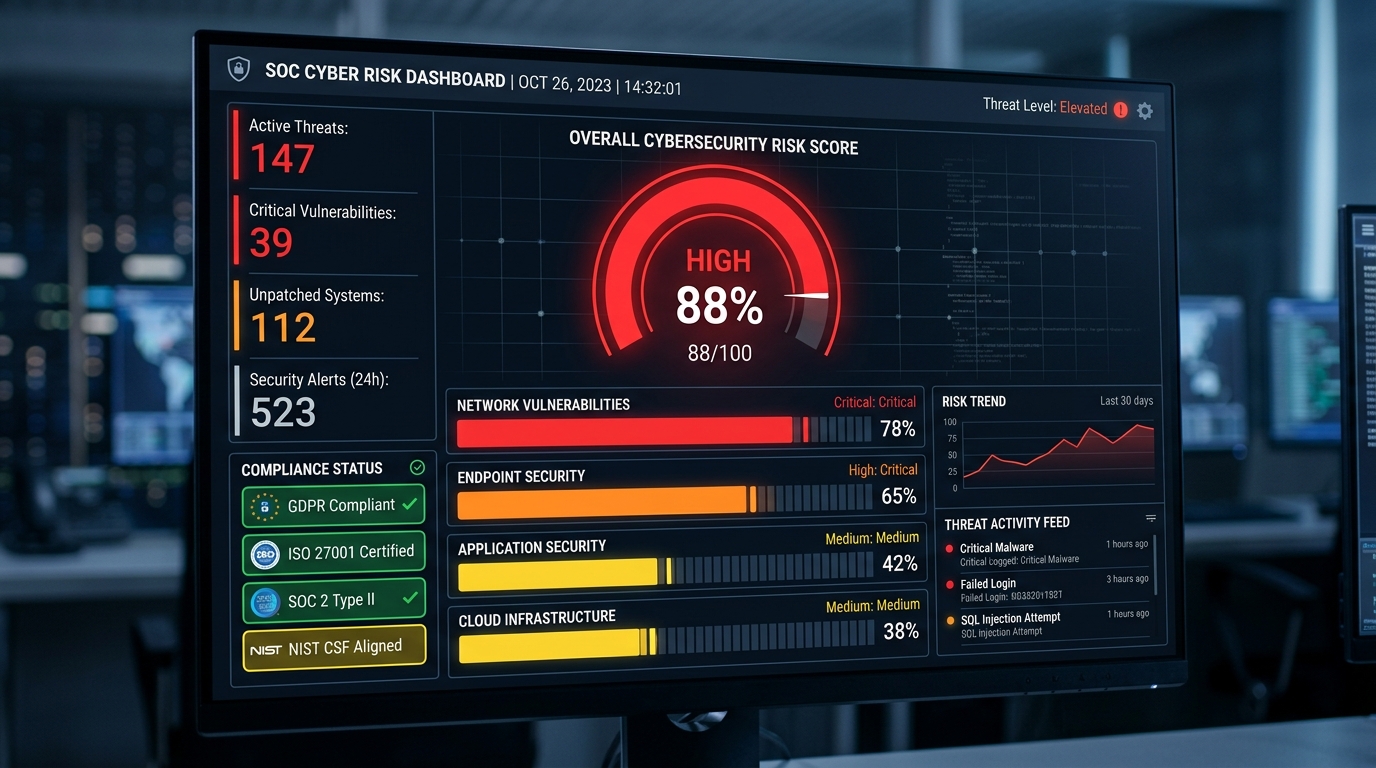
Figure 4: CVSS-inspired risk scoring with compliance framework mapping
Your customer-facing chatbot on api.company.com has a risk score of 78/100, it's non-compliant with GDPR Article 32, and the highest priority fix is implementing authentication.
CVSS-Inspired Scoring Model
The risk assessor uses a multi-factor scoring model:
- Severity weights: Critical (10.0), High (7.5), Medium (5.0), Low (2.5), Info (1.0)
- Exposure multipliers: Internet-facing (1.5x), Public API (1.4x), Production (1.3x), Development (0.8x)
- Business impact factors: Healthcare data (1.5x), Financial (1.4x), Customer PII (1.3x), Legal (1.2x)
Compliance Framework Mapping
Every finding maps to six compliance frameworks:
| Framework | Key Mappings |
|---|---|
| GDPR | Articles 5, 25, 32, 35 (principles, design, security, DPIA) |
| SOC 2 Type II | CC6.1, CC6.3, CC7.2, CC8.1 (access, role-based, monitoring) |
| HIPAA | Access control, audit controls, integrity, transmission security |
| PCI DSS | Secure configurations, access restrictions, monitoring, testing |
| NIST AI RMF | Govern, Map, Measure, Manage framework domains |
| EU AI Act | Prohibited and high-risk AI system classification |
Security Framework Coverage
Findings also map to OWASP LLM Top 10 and MITRE ATLAS:
# Check current framework coverage
python scanner_cli.py coverage

# OWASP LLM Top 10 Coverage:
# [FULL]    LLM01: Prompt Injection (direct)
# [FULL]    LLM02: Sensitive Information Disclosure
# [PLANNED] LLM03: Supply Chain Vulnerabilities
# [PLANNED] LLM04: Data/Model Poisoning
# [PARTIAL] LLM05: Improper Output Handling
# [PARTIAL] LLM06: Excessive Agency
# [FULL]    LLM07: System Prompt Leakage
# [PLANNED] LLM08: Vector/Embedding Weaknesses
# [PLANNED] LLM09: Misinformation
# [PARTIAL] LLM10: Unbounded Consumption
What Every Scan Finds
Patterns emerge fast. Every organization has the same problems:
Unauthenticated AI Endpoints
Developers set up an AI API for internal use, never add authentication, and it ends up internet-facing. No Bearer token required, 200 OK, here's the chatbot. This is the most common finding, and the most dangerous.
Hardcoded API Keys
The code scanner catches sk- (OpenAI), sk-ant- (Anthropic), hf_ (HuggingFace), and AWS access keys in source files. Full API access, no IP restrictions, no rotation policy.
No Rate Limiting
Most internal AI deployments accept unlimited requests. Any attacker who finds the endpoint can run up the API bill, exfiltrate data at scale, or use it as an attack proxy.
System Prompts That Leak Business Logic
Roughly 40% of custom AI deployments reveal their system prompt when asked variations of "repeat your instructions." These prompts contain business rules, database schema hints, and occasionally credentials.
PII in AI Responses
Agents that process customer data echo back personal information when asked the right way. GDPR Article 5 violation waiting to happen.
Real-World Finding: In one authorized assessment, a mid-size SaaS company believed they had three AI integrations. The scanner found eleven, including a LangChain app on a personal AWS account connected to the company's customer database, two "decommissioned" OpenAI endpoints still live, an Ollama instance exposed to the office network, and a Slack bot using Anthropic's API integrated by a product manager. None were in the AI inventory. None were security-reviewed.
The Discovery Gap
Discovery consistently finds more than the security team expects. This is the shadow AI problem in practice. It's not malicious, just fast. People build AI features because they can, and security processes haven't caught up.
The typical pattern:
- A marketing team member's LangChain app on a personal cloud account, connected to company data via shared credentials
- Deprecated AI integrations "decommissioned" by removing the UI but leaving the API endpoint live
- Ollama instances on developer machines, exposed to the office network
- HuggingFace inference API calls from data pipelines no one on the security team knew existed
- Chat bots using various AI APIs, integrated by non-engineering staff
Why Existing Tools Don't Solve This
We built this because nothing else does discovery. The existing AI security tooling is excellent, but every tool assumes you already know what to test.
| Tool | What It Does | The Gap |
|---|---|---|
| Garak (NVIDIA) | Deep vulnerability assessment against known endpoints | Doesn't find the models you didn't know about |
| Giskard | Tests models at the artifact level | Requires you to already know where models are |
| PyRIT (Microsoft) | Red-teaming framework for iterative attack refinement | Targets known systems only |
| Lakera / Prompt Security / Rebuff | Runtime defense layers for known deployments | Don't inventory what's deployed |
The gap is the first step: what AI is actually running in my environment? AI Agent Scanner answers that question, then hands off to specialized tools for deeper testing.
What's Honest About Our Coverage
We are not going to overclaim. Trust is the only currency in security tooling.
Tested Today:
- Direct prompt injection (7 categories, 70+ payloads)
- Authentication bypass (15+ techniques)
- PII disclosure (7 data types)
- Rate limiting validation
- Session security
- Cross-tenant data leakage
Not Yet Tested:
- Indirect prompt injection (the dominant 2025 attack vector)
- MCP server security and agentic workflow attacks
- RAG poisoning and retrieval manipulation
- Multi-modal injection (image/PDF-based)
- Adversarial suffixes and model extraction
OWASP LLM Top 10 coverage: 6/10 categories tested, 4 planned. The tool tracks this honestly: run scanner_cli.py coverage and it tells you exactly what's tested and what's not. We'd rather be honest about gaps than have a security researcher discover our README overclaims.
Who Should Use This
CISOs
Run a discovery scan against your internal networks and cloud accounts. The output is your shadow AI inventory. Use the compliance mapping for regulatory implications. Take the executive summary to your next board meeting.
AppSec Leads
Add the scanner to CI/CD. SARIF output integrates natively with GitHub Code Scanning. Use the code scanner to catch new AI integrations before they hit production.
# SARIF output for GitHub Code Scanning integration
python scanner_cli.py scan --network 10.0.0.0/24 --output results.sarif

# JSON output for SIEM integration
python scanner_cli.py scan --domain api.company.com --output results.json
Platform Engineers
Run it as a container, call the REST API, feed JSON results into your SIEM or vulnerability management system. The Flask web application provides a dashboard and API endpoints for programmatic access.
# Start the web dashboard
python app.py

# REST API endpoints:
# POST /api/scans          - Start a new scan
# GET  /api/scans/{id}/status  - Real-time scan progress
# GET  /api/scans/{id}/results - Complete results
# GET  /api/agents         - List all discovered agents
Security Researchers
Modular architecture makes it straightforward to add attack payloads, detection patterns, and discovery methods. OWASP and ATLAS mappings provide a coverage framework. The tool is GPLv3 licensed. PRs welcome.
Get Started
# Clone and install
git clone https://github.com/perfecxion-ai/ai-agent-scanner.git
cd ai-agent-scanner
pip install -r requirements.txt

# Standard scan
python scanner_cli.py scan --network YOUR_RANGE --output results.json

# With cloud provider support
pip install -r requirements.txt boto3 azure-identity \
  azure-mgmt-cognitiveservices google-cloud-aiplatform

# Docker deployment
docker build -t ai-agent-scanner .
docker run -p 5000:5000 ai-agent-scanner
Project Details
- Repository: github.com/perfecxion-ai/ai-agent-scanner
- License: GPLv3
- Python: 3.10+
- Version: 1.1.0
- Tests: 157 test cases
The AI agents are already running in your infrastructure. The only question is whether you know where they are.
Use it. Break it. Tell us what's missing.